



Buy cheatEvicted AI Aimbotfor RUST
 1 / 7
1 / 7Plans
- Instant key delivery
- Replacement or freeze during an update
- Setup guide and support
- Payment via Digiseller
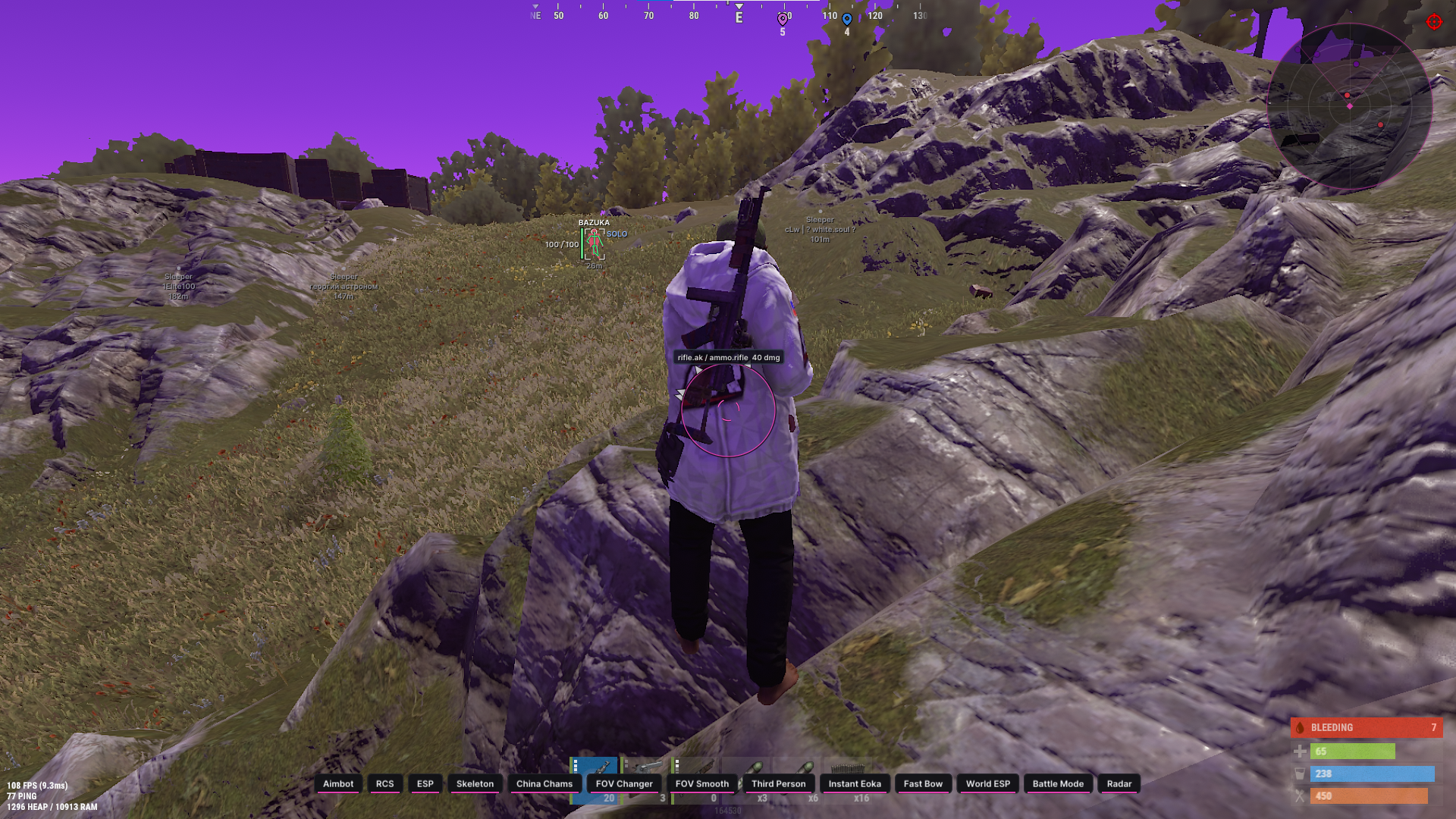
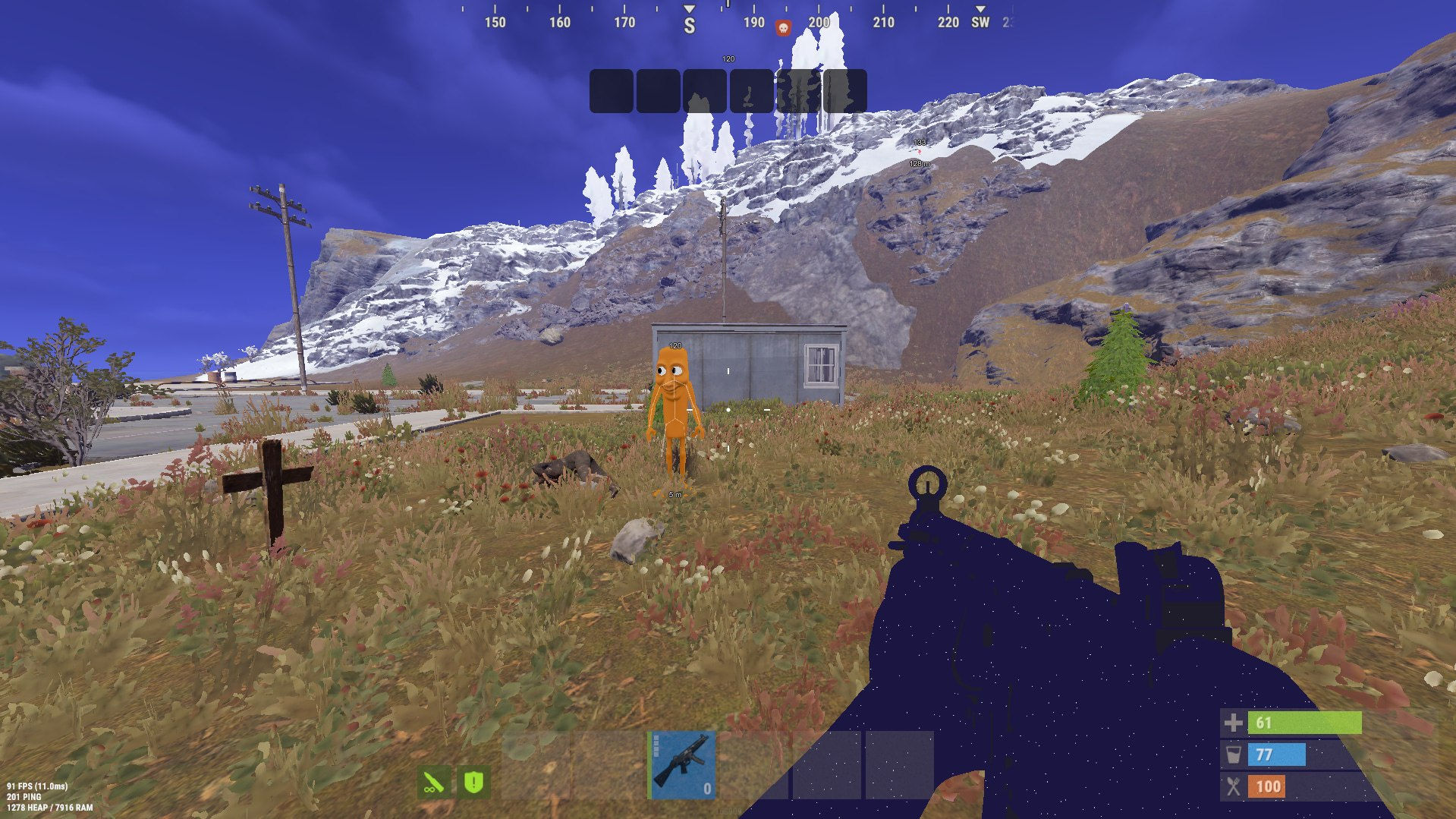
Evicted AI Aimbot is a revolutionary private cheat based on artificial intelligence and computer vision (YOLOv5) for absolute domination in Rust and any other shooter. Unlike traditional cheats, Evicted does not interact with game memory, making it completely undetectable by anti-cheat systems. It works on a hardware level and supports CS2 (including FACEIT), Valorant, PUBG, Apex Legends, Warzone, Fortnite, Rainbow Six Siege, Roblox and more. Buy Evicted AI Aimbot from the trusted Industries Cheat store and gain a universal technological advantage in every match.
Modules & settings
Tap a module to expand its option list
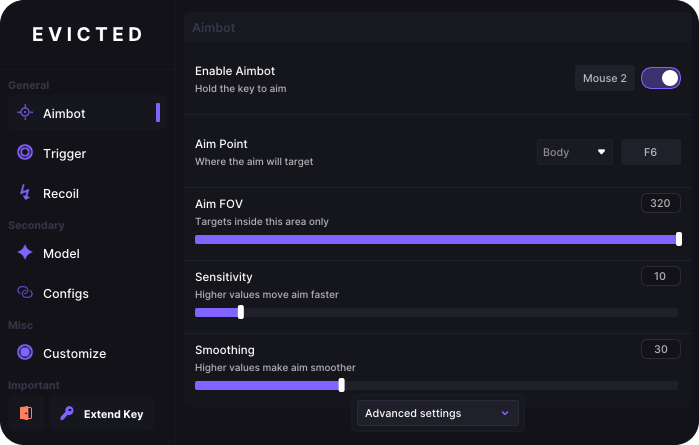
- ▸ Advanced Settings - Opens additional aimbot customization options.
- ▸ Aim FOV - Sets the area around the crosshair where the aimbot can detect enemies.
- ▸ Aim Point - Selects the body part the aimbot should target, such as the head or body.
- ▸Enable Aimbot (ON/OFF) - Enables automatic aiming. Hold the selected key, and the crosshair will follow the enemy.
- ▸ Horizontal Reduction - Reduces horizontal aiming assistance.
- ▸ Humanization - Adds small natural variations to make aiming look less robotic.
- ▸ Lead Strength - Controls how far ahead of a moving enemy the aimbot should aim.
- ▸ Prediction (ON/OFF) - Predicts enemy movement and aims slightly ahead of the target.
- ▸ Reaction Time - Adds a delay before aiming begins to imitate human reaction time.
- ▸ Sensitivity - Controls how quickly the crosshair moves toward the enemy.
- ▸ Smoothing - Makes the aiming movement softer and more natural.
- ▸ Smooth Type - Selects how the crosshair accelerates and slows down during aiming.
- ▸ Target Switch Delay - Adds a short pause before switching to another enemy.
- ▸ Vertical Reduction - Reduces vertical aiming assistance.
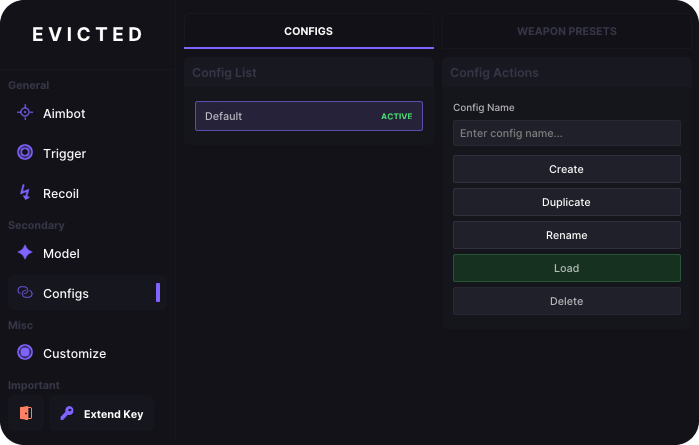
- ▸ Config List - Displays all saved configuration profiles.
- ▸ Config Name - Provides a field for entering the name of a new configuration.
- ▸ Create Config - Creates a new configuration profile.
- ▸ Delete Config - Permanently deletes the selected configuration.
- ▸ Duplicate Config - Creates a copy of the selected configuration with all its settings.
- ▸ Load Config - Applies all settings from the selected configuration.
- ▸ Rename Config - Changes the name of the selected configuration.
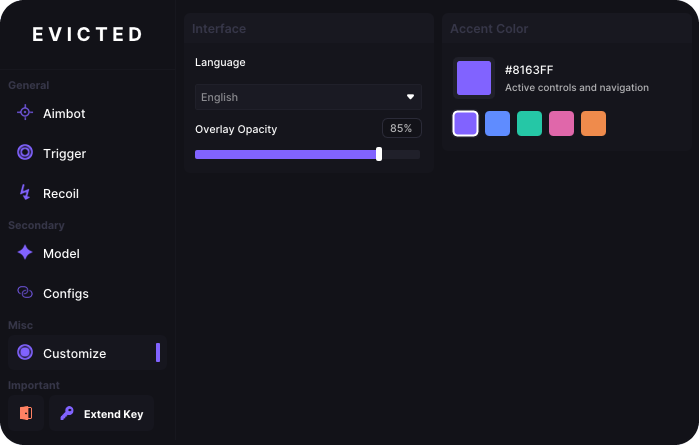
- ▸ Accent Color - Changes the color of active buttons, sliders, and navigation elements.
- ▸ Accent Color Presets - Allows you to quickly select one of the available colors.
- ▸ Custom Accent Color - Allows you to manually enter a custom interface color.
- ▸ Language - Changes the application interface language.
- ▸ Overlay Opacity - Controls how transparent or visible the overlay will be.
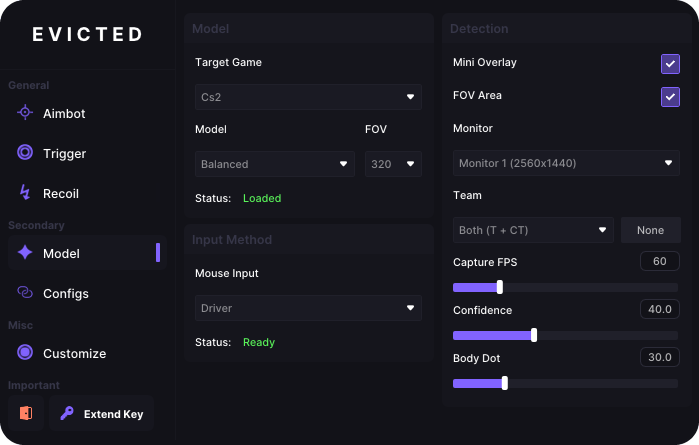
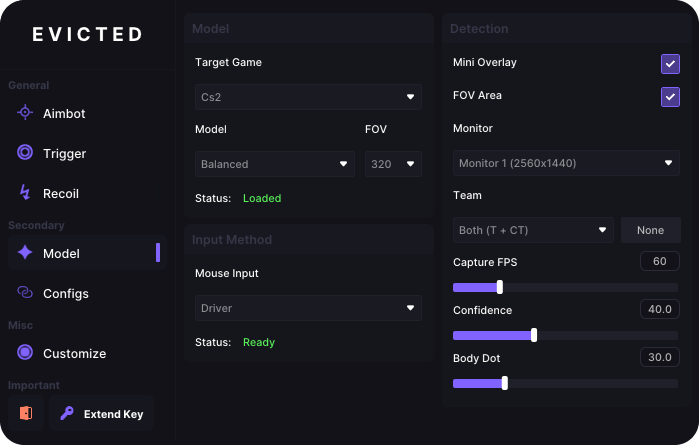
- ▸ Body Dot - Adjusts the body point used for detection or aiming.
- ▸ Capture FPS - Controls how many screen frames are analyzed each second.
- ▸ Confidence - Sets how confident the model must be before accepting an object as an enemy.
- ▸ FOV - Sets the size of the screen area scanned for enemies.
- ▸ FOV Area (ON/OFF) - Displays the boundaries of the enemy detection area.
- ▸ Mini Overlay (ON/OFF) - Displays a small overlay with basic information.
- ▸ Model - Selects an enemy detection model focused on speed, accuracy, or balance.
- ▸ Monitor - Selects the monitor that should be captured and analyzed.
- ▸ Mouse Input - Selects how movement commands are sent to the mouse.
- ▸ Target Game - Selects the game the detection system should work with.
- ▸ Team - Selects which teams should be detected.
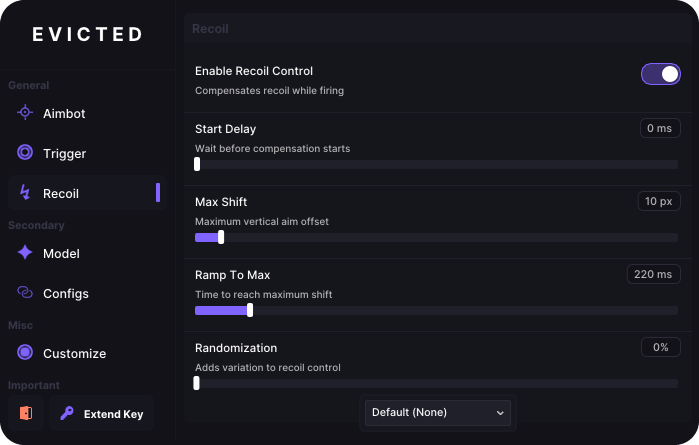
- ▸ Enable Recoil Control (ON/OFF) - Automatically compensates for vertical and horizontal weapon recoil.
- ▸ Max Shift - Limits how far the crosshair can move to compensate for recoil.
- ▸ Ramp To Max - Controls how quickly recoil compensation reaches maximum strength.
- ▸ Randomization - Adds small variations to recoil control movements.
- ▸ Recoil Preset - Selects a saved recoil profile for a specific weapon.
- ▸ Start Delay - Sets the delay before recoil compensation begins.
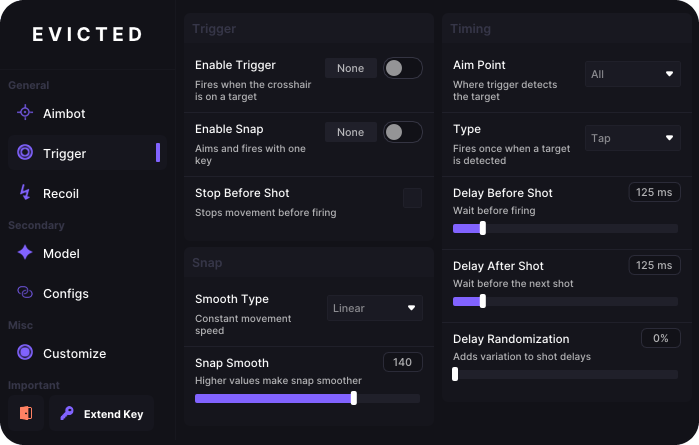
- ▸ Aim Point - Selects the body part the trigger should detect before firing.
- ▸ Delay After Shot - Controls how long the trigger waits before firing again.
- ▸ Delay Before Shot - Adds a pause between detecting an enemy and firing.
- ▸ Delay Randomization - Slightly changes firing delays so the timing is not identical every time.
- ▸ Enable Snap (ON/OFF) - Quickly moves the crosshair to an enemy and fires.
- ▸ Enable Trigger (ON/OFF) - Automatically fires when an enemy appears under the crosshair.
- ▸ Smooth Type - Selects how the crosshair moves toward the enemy during Snap aiming.
- ▸ Snap Smooth - Controls the speed and smoothness of Snap aiming.
- ▸ Stop Before Shot (ON/OFF) - Stops your character before firing to improve accuracy.
- ▸ Type - Selects how the automatic firing system should work.
- ▸ Activation Key - Assigns a key that activates the selected weapon preset.
- ▸ Create Preset - Creates a new weapon preset.
- ▸ CS2 Presets - Displays saved weapon presets for CS2.
- ▸ Delete Preset - Permanently deletes the selected weapon preset.
- ▸ Duplicate Preset - Creates a copy of the selected preset with all its settings.
- ▸ New Preset - Provides a field for entering the name of a new weapon preset.
System requirements
System specifications for clean launch and stable build performance.
Game client
RUST (Steam / Official Launcher)
Processor (CPU)
Intel & AMD
OS (Windows)
Windows 10/11
Window mode
Безрамочный
Built-in spoofer
Built-in
USB drive
Not required
BIOS mode
UEFI (GPT)
Graphics card (GPU)
Nvidia & AMD
Disk format
GPT / NTFS
Customer reviews
There are no reviews for this product yet. Be the first to share your feedback!
Other cheats
From the same catalog — live status and pricing.
.avif)
About buying this cheat
Payment and delivery are handled by Digiseller. The key is issued automatically right after payment — a setup guide in Russian and English comes with it.
Delivery is automatic, there is no operator to wait for. If the key did not arrive for some reason, message support — the links are on this page.
While a build is updating, its purchase closes automatically. Most developers account for downtime in the subscription, and support can help with a freeze, a replacement or setup.
Through Digiseller: Russian and international cards, SBP, crypto and e-wallets.
Refunds are decided case by case on the platform's side: contacting support does not guarantee an automatic refund. So it is worth checking the system requirements and the build status before buying.
All about Evicted AI Aimbot
Evicted AI Aimbot for Rust — Artificial Intelligence for Your Dominance
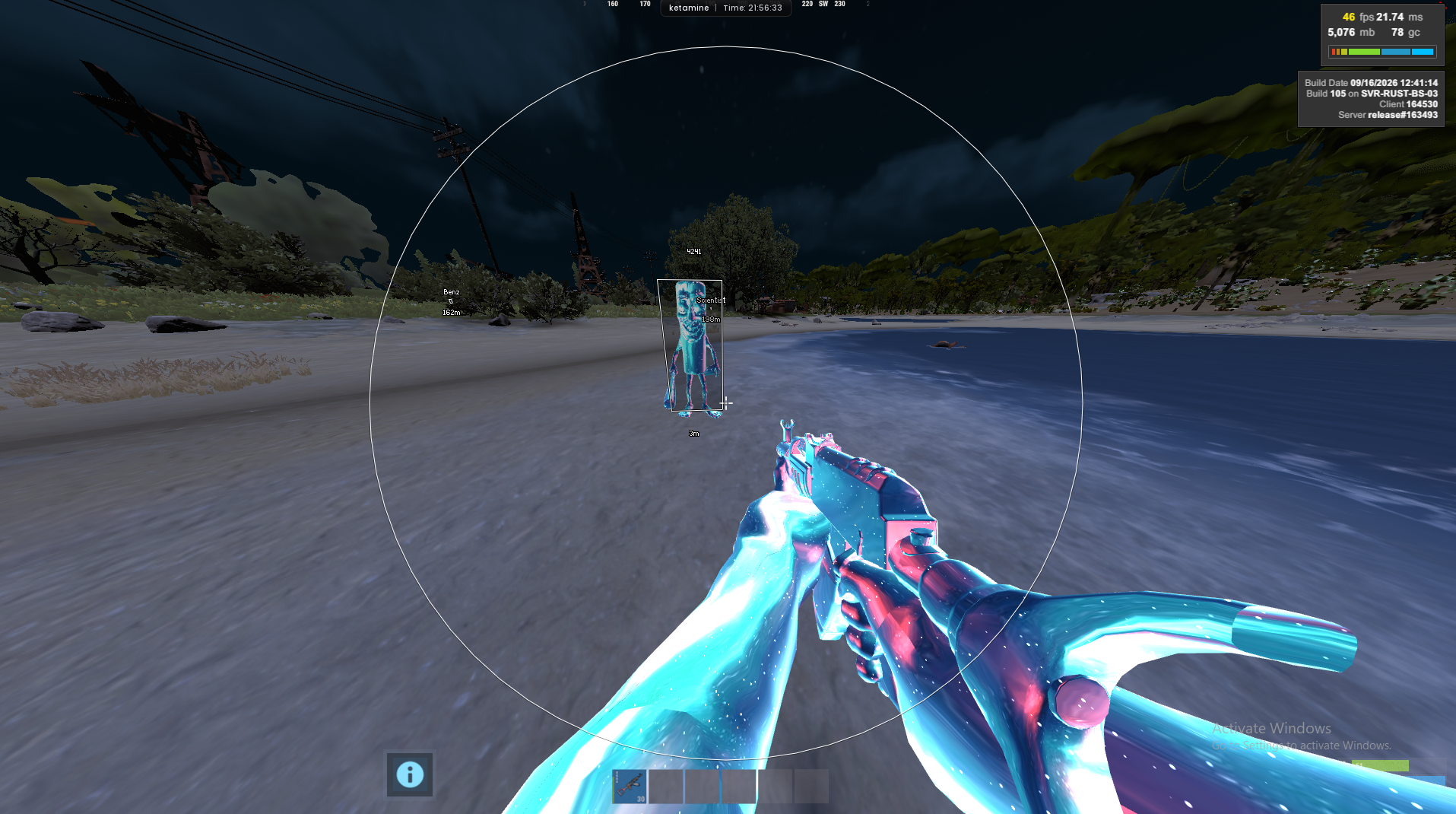
Modern shooters demand not only fast reflexes but also technological superiority. The private cheat Evicted AI Aimbot is a revolutionary solution that uses computer vision (YOLOv5) to detect enemies. Unlike traditional cheats, Evicted does not read or modify game memory, making it completely invisible to anti-cheat systems. It is a universal tool that works in Rust, CS2 (including FACEIT), Valorant, PUBG, Apex Legends, Warzone, Fortnite, Rainbow Six Siege, Roblox and any other game with human characters.
Why Evicted AI Aimbot Is the Best Choice for Rust
- Fully Undetectable: Hardware-based operation and zero memory interaction eliminate ban risk.
- Universality: One cheat for all popular shooters — from tactical CS2 and Valorant to fast-paced Fortnite and Warzone.
- Precise AI Aimbot: Automatic target locking with adjustable smoothness and FOV for natural gameplay.
- YOLOv5 Computer Vision: Instant target recognition even in difficult lighting and at long distances.
- Rust Support: Optimized performance in Rust with shooting mechanics and map features in mind.
Technological Superiority in Every Match
Evicted AI Aimbot is designed for players who value security and versatility. Thanks to artificial intelligence, the cheat adapts to the user's playstyle, ensuring maximum efficiency without raising suspicion from anti-cheat systems. Forget about buying a separate cheat for each game — Evicted works everywhere with human characters.
Security and Ease of Use
The Industries Cheat store provides exclusive access to Evicted AI Aimbot. The cheat requires no complex setup, is regularly updated, and is supported by the development team. You get not just a cheat for Rust, but a universal technological solution for absolute superiority in any shooter.